01
Have products
Your products are ready to sell.
Build a direct storefront for Singapore and bring your products, payments, delivery and Discovery into one lightweight commerce platform.
Start Selling in Singapore →Built for businesses with real products, an existing brand and plans to reach customers in Singapore.
Your products are ready to sell.
You already sell through a store, marketplace or online channel.
You want another path into the Singapore market.
Four steps to get your Dash to Cart store ready for Singapore.
Set up your storefront and business details.
Choose what you want to sell in Singapore.
Connect applicable Stripe payments and delivery options.
Go live. Eligible products can also appear in Discovery.
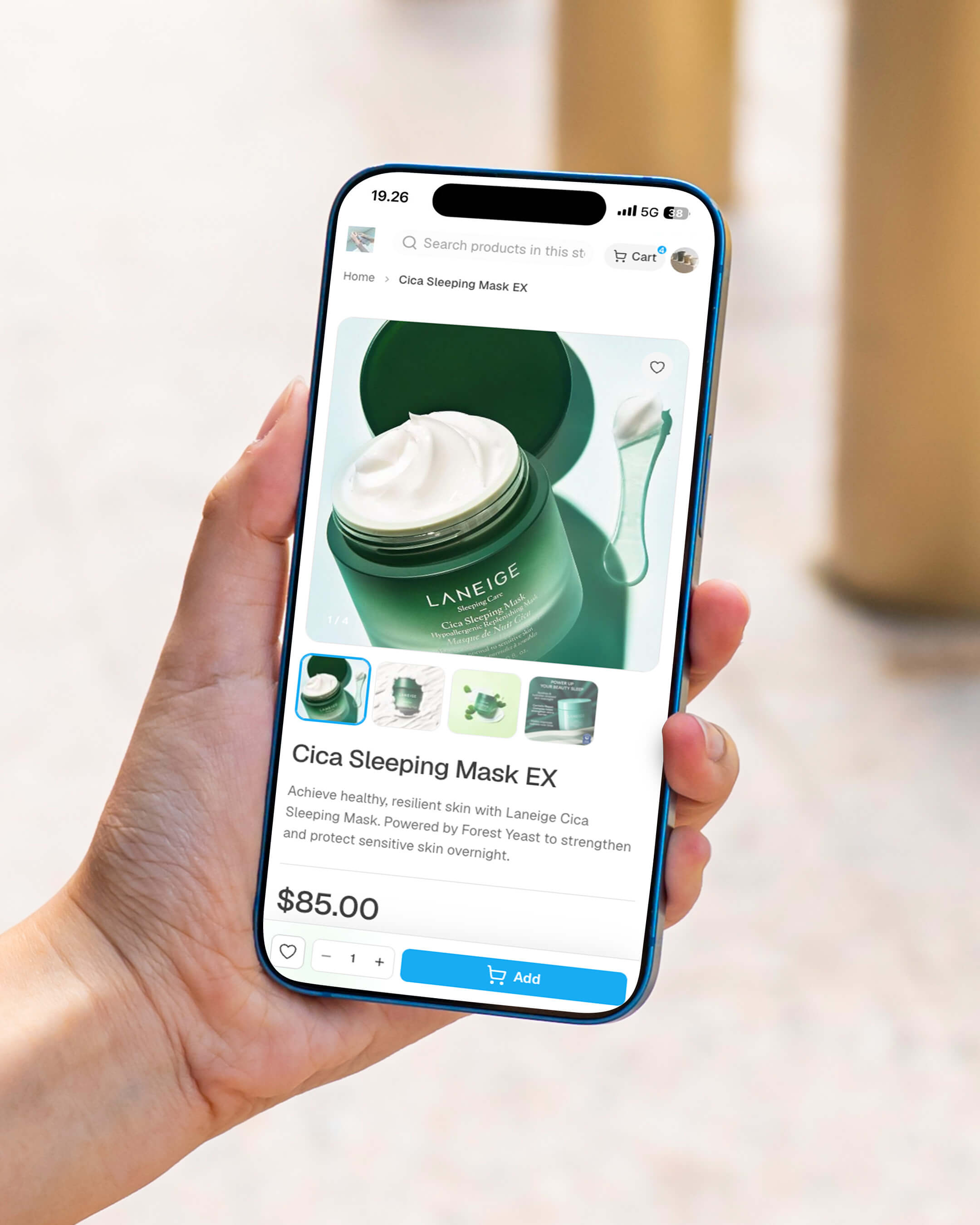
Give customers in Singapore a direct place to discover, explore and buy from your business.
A dedicated place for customers to shop.
Put your products and identity front and centre.
Add another way for customers to buy from you.
Eligible products can appear in Discovery, giving shoppers another way to find your store.
Eligible products can surface to shoppers across Dash to Cart.
Selected products may receive additional featured placement.
.jpg) DISCOVER
DISCOVER.jpg) FEATURED
FEATURED.jpg) DISCOVER
DISCOVERRun more of your everyday commerce from one lightweight platform.
Create a dedicated store for your brand.
Connect Stripe and take payments through your store.
Manage your catalogue and customer orders.
Set delivery and pickup options for your business.
Create coupons, bundles and sale sessions.
See how your store, products and sales are performing.
Create product images and search-ready copy faster.
Give eligible products another way to be found.
Once your Singapore storefront is set up, submit it through Help & Support for review.
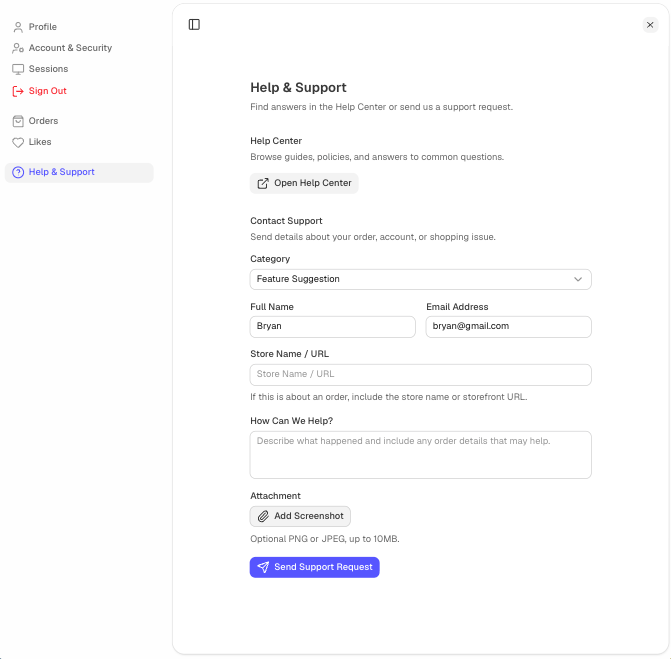
Open it from your Dash to Cart profile.
Add your store name or URL.
Tell us your Singapore setup is complete.
A few things to know before setting up your store for Singapore.
Bring your products, build your storefront and start creating a direct path to customers in Singapore.
Start Selling in Singapore →